
Error recovery can also be triggered via the MRC Server.
Notification
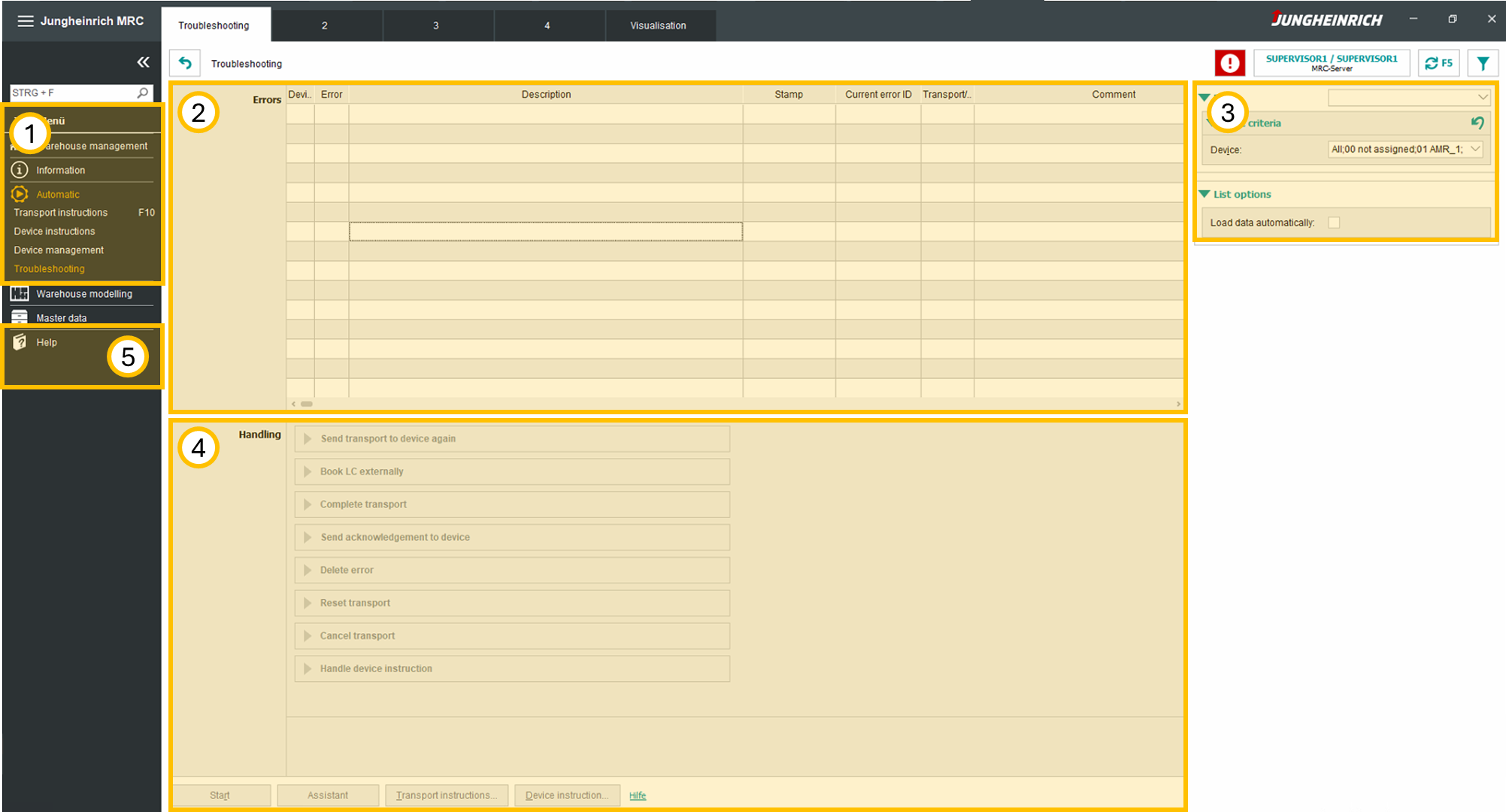
If a robot is in error state highlighted in red on the MRC Server warehouse overview. When selecting the respective robot the Troubleshooting page is opened directly with the correct robot filter already active. Alternatively the Troubleshooting page can be accessed via the sidebar.
|
# |
Name |
Description |
|---|---|---|
|
1 |
Sidebar |
Navigation bar. |
|
2 |
Error list |
List of all errors within the MRC system. |
|
3 |
Filter |
Filter region. Select filters to only show specific errors. |
|
4 |
Recovery options |
Recovery options for individual errors. |
|
5 |
Help |
MRC Server documentation help page. |
Error handling
When selecting a error in the error list, the available recovery options are highlighted in the Error recovery options below. Select the correct recovery option to solve the error.
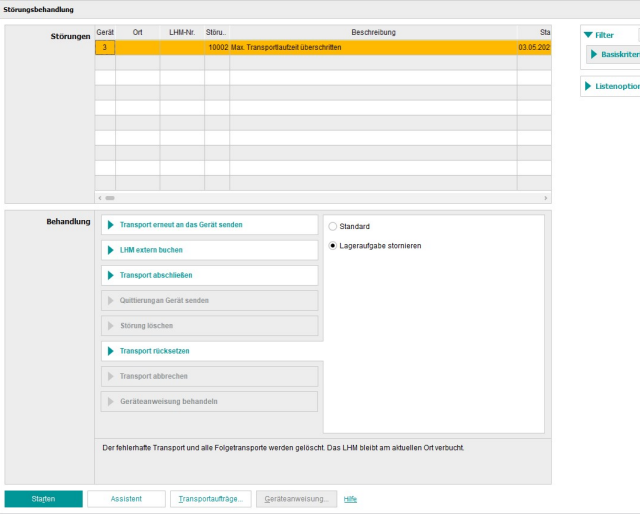
It is recommended to always check errors on the actual device. If unsure if the error should be recovered remotely - always check the error on the actual robot instead.
Please refer to the MRC Server Help page for further information on error recovery.